
We may earn money or products from the companies mentioned in this post. As an Amazon Associate I earn from qualifying purchases. Disclosure of Material Connection: Some of the links in this post may be "affiliate links." This means if you click on the link and purchase an item, I will receive an affiliate commission.
Memorial Program Layout: 25+ Beautiful Templates & Design Ideas
Create meaningful memorial programs that honor your loved one’s memory with professional layouts and design guidance
Table of Contents
- Essential Memorial Program Layout Elements
- 25+ Memorial Program Layout Templates
- Step-by-Step Design Process
- Size and Format Guidelines
- Design Tips for Different Memorial Types
- Common Layout Mistakes to Avoid
- Professional vs DIY Options
- Printing and Distribution Guide
What is a Memorial Program Layout?
A memorial program layout is the structured design framework that organizes content for funeral or memorial service programs. It determines how photos, text, service details, and decorative elements are arranged to create a meaningful tribute that guides attendees through the service while honoring the deceased.
The layout serves multiple purposes: it provides service information, shares the person’s life story, offers comfort to grieving families, and creates a lasting keepsake for attendees. A well-designed memorial program layout balances functionality with emotional impact.

Essential Memorial Program Layout Elements
Every effective memorial program layout includes these core components:
Cover Elements
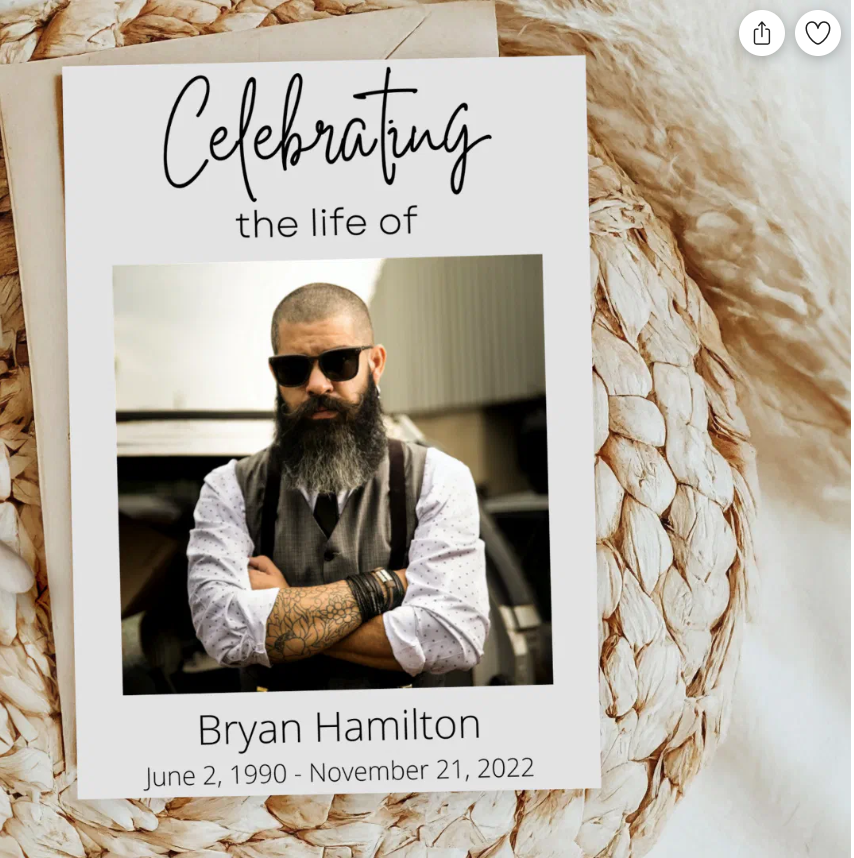
- Primary photo: High-quality portrait of the deceased
- Full name: Including any nicknames or maiden names
- Birth and death dates: Formatted consistently
- Service details: Date, time, and location
- Meaningful quote or scripture: Reflects their personality or faith
Interior Layout Components
- Order of service: Detailed program flow
- Obituary or life story: Biographical information
- Photo collage: Multiple images from different life stages
- Acknowledgments: Thanks to caregivers, clergy, and supporters
- Memorial donations: Preferred charity information
Memorial Program Layout Checklist
- ✓ High-resolution main photo (300 DPI minimum)
- ✓ Consistent font choices (2-3 fonts maximum)
- ✓ Balanced white space for readability
- ✓ Appropriate color scheme for the occasion
- ✓ Clear hierarchy of information
- ✓ Proofread all text for accuracy
- ✓ Contact information for questions
25+ Memorial Program Layout Templates
Choose from these professionally designed memorial program layouts based on your needs, style preferences, and the type of service:
Classic Bifold Layout
Traditional 4-panel design with cover photo, service order, obituary, and acknowledgments. Perfect for formal services and traditional families.
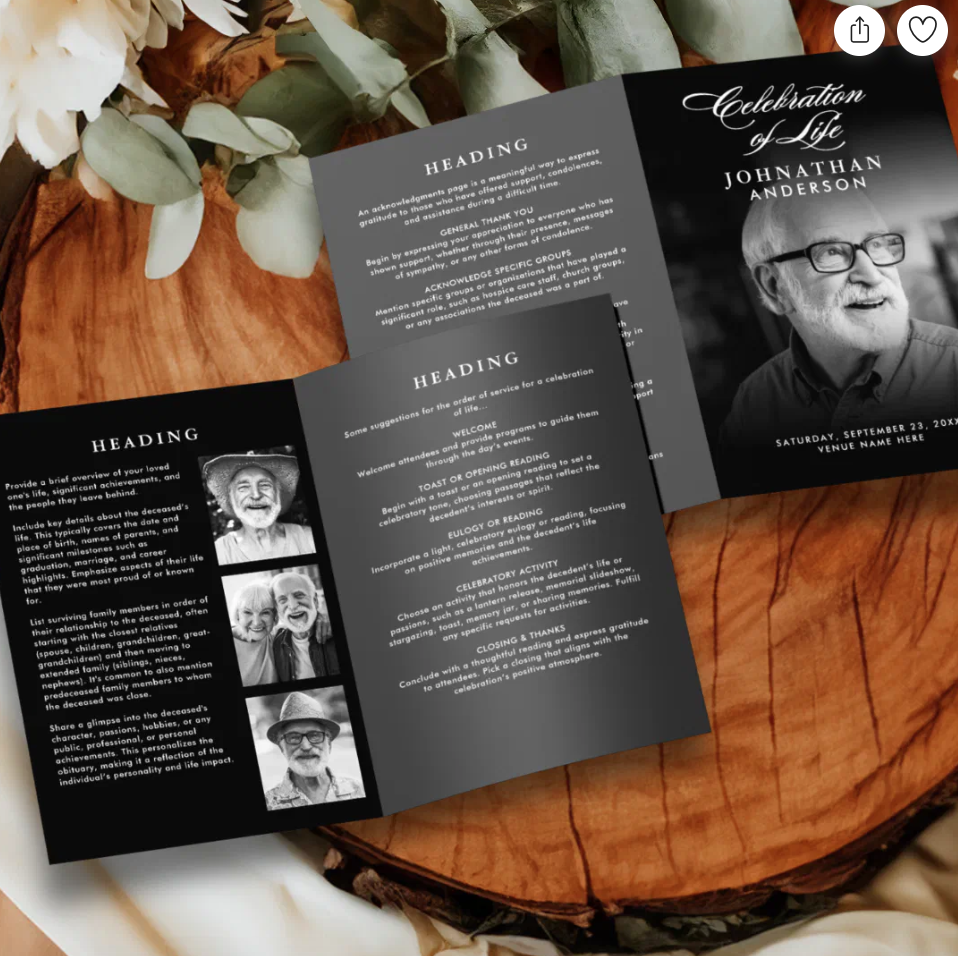
Modern Trifold Layout
Contemporary 6-panel design allowing more space for photos and personal stories. Ideal for celebrating life services.
Single Page Memorial Layout
Elegant one-page design for simple services or budget-conscious families. Includes essential information in a clean format.
Photo-Focused Layout
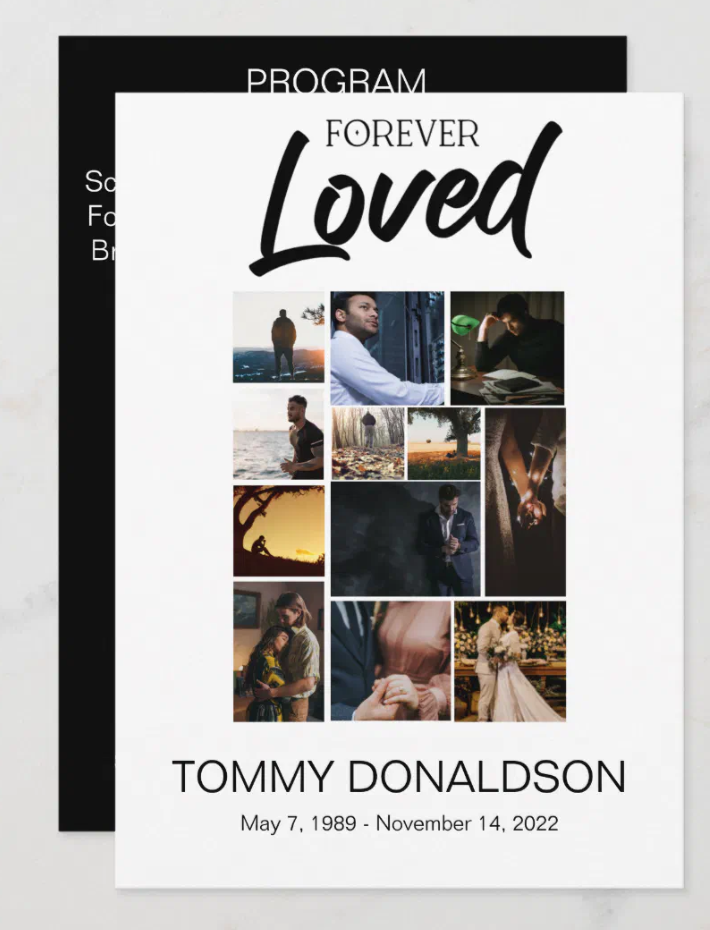
Emphasizes visual storytelling with large photo collages and minimal text. Great for visual personalities or younger deceased.
Religious Memorial Layout
Incorporates faith-based elements, scripture, and religious imagery. Suitable for church services and devout families.
Nature-Themed Layout
Features natural elements like flowers, trees, or landscapes. Perfect for outdoor enthusiasts or garden lovers.
Military Memorial Layout
Honors service members with patriotic colors, flag imagery, and military elements. Includes space for service details.

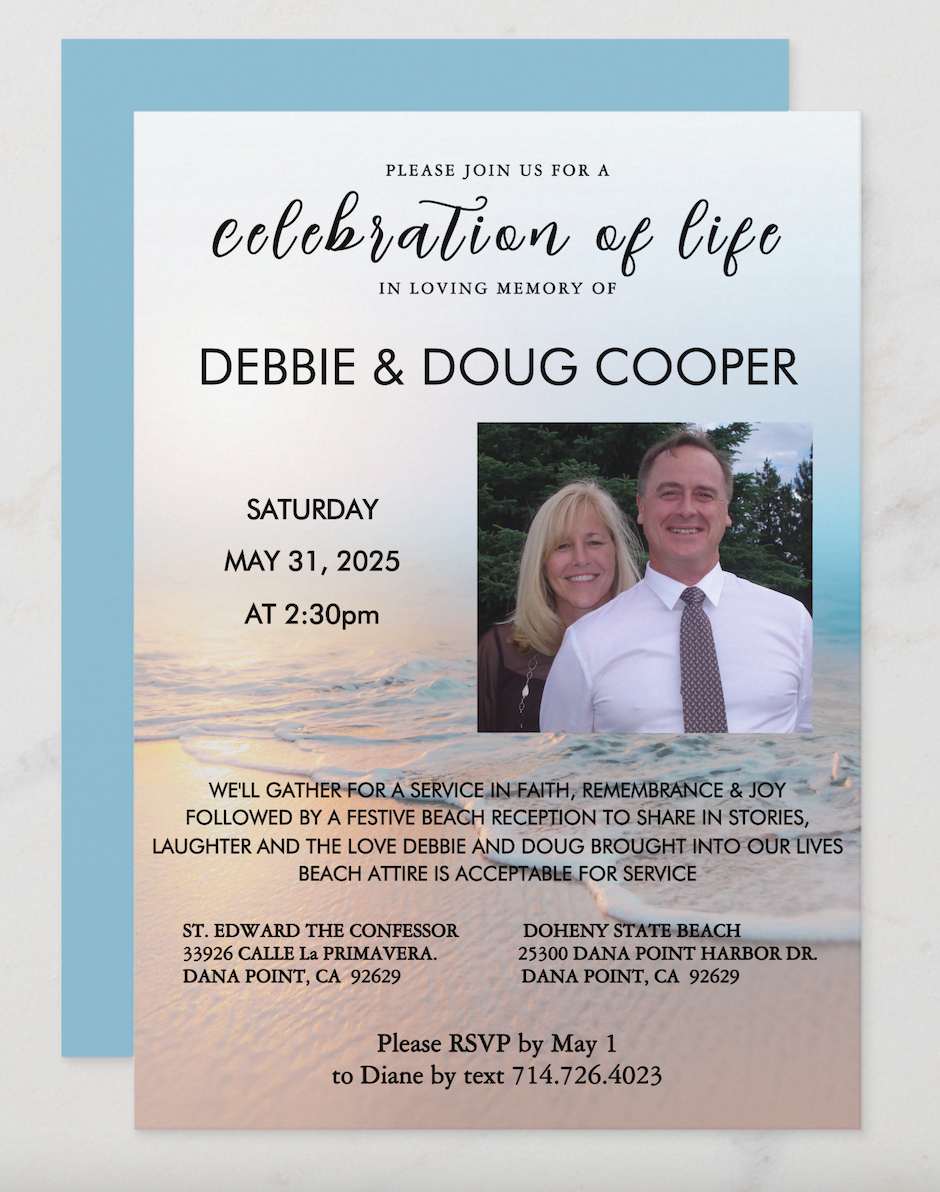
Celebration of Life Layout
Bright, uplifting design focusing on joy and memories rather than mourning. Uses cheerful colors and positive messaging.
Specialized Memorial Program Layouts
Child Memorial Layout
Gentle, soft designs with pastel colors, angel imagery, and age-appropriate elements. Includes space for favorite toys, activities, and family photos.
Graduated Fold Layout
Unique accordion-style fold that creates visual interest and allows for extensive content. Perfect for detailed life stories.
Booklet-Style Layout
Multi-page saddle-stitched format for comprehensive memorials. Includes chapters for different life periods and extensive photo sections.
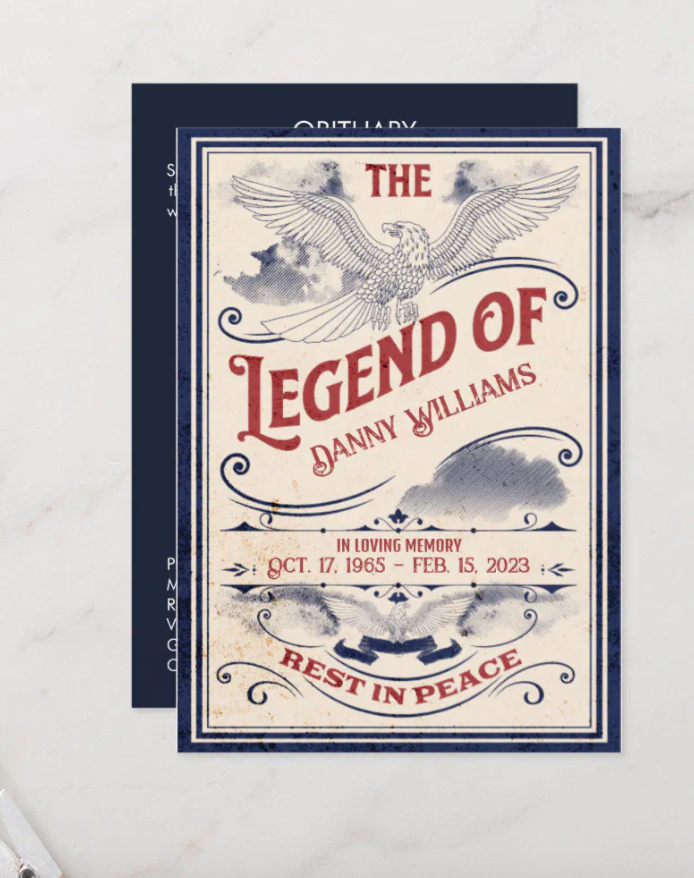
Vintage Memorial Layout
Classic design elements with aged textures and traditional fonts. Perfect for honoring elderly family members or history enthusiasts.
Step-by-Step Memorial Program Layout Design Process
Phase 1: Planning and Content Gathering
- Collect photos: Gather high-resolution images from different life stages
- Write obituary: Create a meaningful life summary
- Plan service order: Outline the ceremony flow
- Choose theme: Select colors and style that reflect personality
Phase 2: Layout Design
- Select template: Choose appropriate memorial program layout
- Place main photo: Position the primary portrait prominently
- Add text content: Insert obituary, service details, and quotes
- Design photo collage: Arrange additional images thoughtfully
- Apply styling: Use consistent fonts, colors, and spacing
Phase 3: Review and Finalization
- Proofread everything: Check names, dates, and spelling
- Get family approval: Share draft with key family members
- Make revisions: Incorporate feedback and corrections
- Prepare for printing: Export in appropriate format and resolution
Memorial Program Layout Size and Format Guidelines
Standard Memorial Program Sizes
- Bifold Program: 8.5″ x 11″ paper, folded to 5.5″ x 8.5″
- Trifold Program: 8.5″ x 11″ paper, folded to 3.67″ x 8.5″
- Single Page: 8.5″ x 11″ or 5.5″ x 8.5″ unfolded
- Booklet Style: 5.5″ x 8.5″ multiple pages, saddle-stitched
Paper and Printing Considerations
- Paper weight: 80-100 lb cardstock for durability
- Finish options: Matte, satin, or gloss based on photo quality
- Color printing: Full-color for photos, black and white for text-only
- Quantity planning: Print 25% extra for unexpected attendees
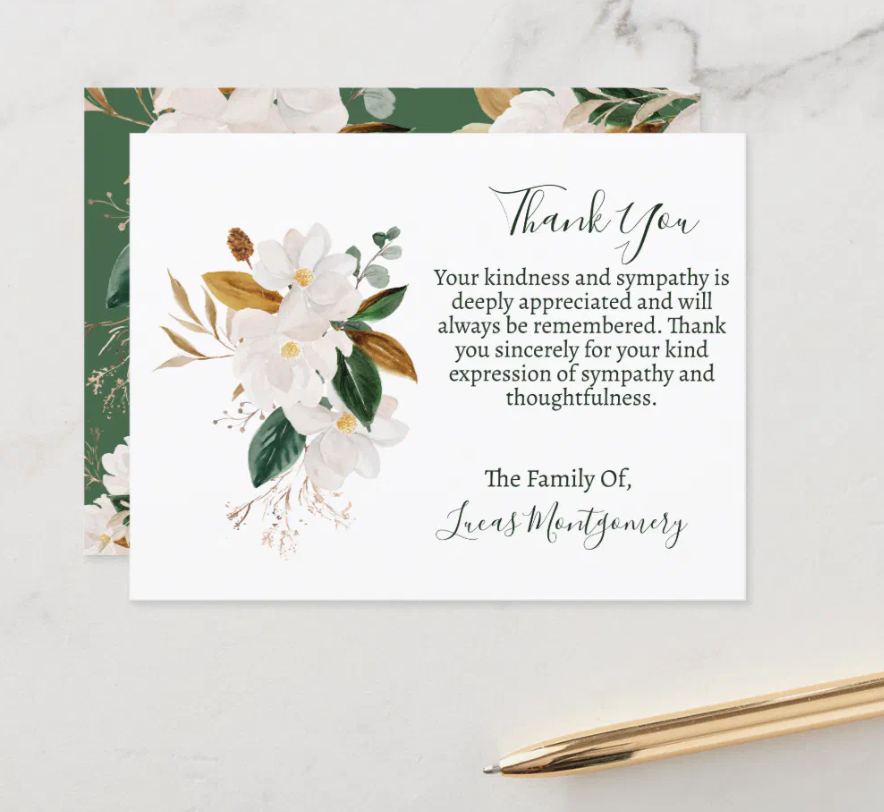
Design Tips for Different Memorial Types
Traditional Funeral Service Layout
Use formal fonts, subdued colors, and classical design elements. Focus on religious elements if appropriate, and maintain a respectful, solemn tone throughout the layout.
Celebration of Life Layout
Incorporate brighter colors, casual fonts, and joyful imagery. Emphasize happy memories, achievements, and the positive impact the person had on others.
Memorial Service Layout
Balance formal elements with personal touches. Include meaningful quotes, favorite songs, and stories that capture the person’s essence and legacy.
Graveside Service Layout
Create compact, weather-resistant designs. Use heavier paper stock and consider lamination for outdoor conditions. Keep content concise but meaningful.
Common Memorial Program Layout Mistakes to Avoid
Design Mistakes
- Overcrowding: Too much text or too many photos in limited space
- Poor photo quality: Using low-resolution or blurry images
- Inconsistent fonts: Using too many different typefaces
- Inappropriate colors: Colors that don’t match the occasion or personality
Content Mistakes
- Factual errors: Incorrect dates, names, or biographical details
- Missing information: Omitting important family members or achievements
- Poor proofreading: Spelling and grammar errors
- Inadequate contact info: Missing details for post-service arrangements
Professional vs DIY Memorial Program Layouts
DIY Memorial Program Layout
Pros: Cost-effective, complete creative control, can work at your own pace, personal touch
Cons: Time-consuming, requires design skills, potential for errors, limited professional guidance
Best for: Families with design experience, tight budgets, or specific vision requirements
Professional Memorial Program Layout
Pros: Expert design skills, faster turnaround, professional quality, guidance and support
Cons: Higher cost, less direct control, may require multiple revisions
Best for: Families wanting professional results, time constraints, or complex design needs
Hybrid Approach
Many families choose a middle ground: using professional templates with DIY customization. This provides professional design foundations while maintaining personal control and managing costs.
Memorial Program Layout Printing and Distribution Guide
Printing Options
- Local print shops: Personal service, quick turnaround, proof reviews
- Online printing: Competitive pricing, convenience, larger quantity discounts
- Office stores: Accessible locations, decent quality, moderate pricing
- Home printing: Immediate availability, cost-effective for small quantities
Distribution Planning
- Quantity calculation: Expected attendance plus 25% buffer
- Distribution method: Ushers, family members, or entrance table
- Extra copies: Keep some for mail-in requests and family archives
- Digital versions: Create PDFs for email distribution to distant relatives
Final Printing Checklist
- ✓ Reviewed final proof thoroughly
- ✓ Confirmed paper quality and finish
- ✓ Verified print quantity needs
- ✓ Scheduled pickup or delivery timing
- ✓ Prepared backup plan for printing delays
📌 Save This Memorial Program Layout Guide
Planning a memorial service? Save this comprehensive guide for easy reference. Share with family members who might need these design tips and layout ideas.
Frequently Asked Questions About Memorial Program Layouts
How long should a memorial program be?
Most memorial programs are 4-6 panels (bifold or trifold). Single-page programs work for simple services, while booklet-style layouts accommodate extensive content for detailed celebrations of life.
What information must be included in a memorial program layout?
Essential elements include the deceased’s name, birth/death dates, service details, order of service, and family acknowledgments. Additional content depends on family preferences and available space.
Can I create a memorial program layout without professional software?
Yes, many families use free tools like Canva, Google Docs, or Microsoft Word templates. However, professional software like Adobe InDesign offers more design flexibility and better print quality.
How far in advance should I start designing the memorial program layout?
Begin at least 2-3 days before the service to allow time for content gathering, design work, family reviews, revisions, and printing. Rush orders often result in errors or compromise quality.
What’s the best way to handle multiple family branches in the layout?
Create separate sections for different family groups or use a family tree layout. Ensure equal representation and verify all names and relationships with respective family members.
you might also like…
